


 TL;DR:
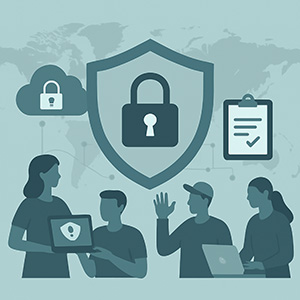
NonProfits are increasingly targeted by cybercriminals because they store sensitive donor data, client information, and program records—often across distributed teams using personal devices, cloud tools, and remote networks.
This guide explains the biggest risks facing NonProfits today, how to protect remote and field-based staff, essential cybersecurity practices, compliance expectations, and what a mission‑aligned MSP should be doing to help you stay secure. You’ll also find a practical cybersecurity checklist you can use immediately (and a downloadable version for your leadership team).
Why NonProfits Are Increasingly Targeted
Cybercriminals know NonProfits often operate with small staff, tight budgets, and a high volume of sensitive data. Social service agencies manage:
- Donor and payment information
- Client case notes and confidential program details
- Health‑related information tied to services
- Volunteer and staff personal data
- Cloud‑stored documents and reporting files
Most attacks aren’t targeted at your organization specifically—they’re automated, scanning for weak passwords, outdated systems, unprotected accounts, or unsecured devices. Once inside, attackers can halt mission‑critical operations, compromise donor trust, and disrupt services your community depends on.
Data Protection Risks: Volunteers, Donor Platforms & BYOD
1. Volunteers with Access to Systems
Volunteers often access email, shared drives, event tools, or donor systems using personal devices. They may not follow your cybersecurity practices, which increases the odds of compromised accounts.
2. Donor Platforms & Third‑Party Tools
Fundraising tools, CRM systems, ticket platforms, and grant management software all store sensitive data. If one platform uses weak settings or outdated permissions, your entire workflow becomes vulnerable.
3. Bring Your Own Device (BYOD)
Personal laptops, tablets, and phones often lack encryption, modern antivirus, or required updates. Many NonProfit breaches begin with something as simple as a lost device or a login saved on an unsecured personal phone.
Remote Work: Managing Security for Field Staff & Distributed Teams
Remote and hybrid work created new security challenges for NonProfits. Case managers, outreach teams, and program staff often work from:
- Public Wi‑Fi
- Shared home networks
- Personal phones and laptops
- Mobile hotspots
- Multiple cloud tools across programs
This increases the risk of phishing, unauthorized logins, and data being stored in unapproved locations.
What You Should Have in Place
To protect distributed teams, your MSP should help deploy secure VPN or zero-trust remote access, device encryption for laptops and mobile devices, automatic patching and update management, AI-driven endpoint protection, remote wipe capabilities, and conditional access controls that ensure only trusted and approved devices can connect.
If you’d like a deeper explanation of what these protections look like in practice, you can learn more about our security services here.
Security Essentials Every NonProfit Needs
1. Multifactor Authentication (MFA)
Required on email, donor platforms, CRM tools, accounting systems, and anywhere confidential information lives.
2. Encryption
Encrypted devices ensure lost or stolen hardware cannot expose sensitive data.
3. Endpoint Protection (Modern Antivirus)
NonProfits need: - Endpoint Detection & Response (EDR) - Behavioral threat monitoring - AI‑driven alerting - 24/7 security event review
4. Access Controls
- No shared logins
- Role‑based permissions
- Immediate removal of inactive accounts
- Restrictions on saving data locally
5. Email Security
Strong protections include protection and detection of session token hijacking, link scanning, attachment sandboxing, spam filtering, and ongoing phishing awareness training.
6. Encrypted, Tested Backups
Backups must be automated, off‑site, encrypted, and tested regularly to ensure recovery during a ransomware attack.
Compliance Needs: HIPAA (If Applicable) & Donor Privacy
Not every NonProfit is subject to HIPAA, but many social service organizations handle information that qualifies as PHI. This can include:
- Mental health services
- Behavioral health programs
- Medical coordination
- Case notes containing health details
- Billing or reimbursement tied to healthcare
Even when HIPAA is not required, you must still protect: Donor financial information, confidential program data, sensitive client records, HR and payroll information.
A mission‑aligned MSP helps ensure your policies, systems, and documentation align with funder expectations, privacy standards, and regulatory requirements.
What an MSP Should Do to Help Protect Your NonProfit
A strong MSP does far more than “fix IT issues.” You should expect:
1. 24/7 Monitoring & Threat Detection
Continuous monitoring of endpoints, cloud environments, and login activity.
2. Device Security Management
Includes encryption, patching, endpoint protection, and remote wipe capabilities.
3. Secure Cloud Configuration
Microsoft 365 and Google Workspace require security‑first setup—not default settings.
4. Password & Access Control Enforcement
Modern password standards, MFA enforcement, conditional access, and least‑privilege permissions.
5. Tailored Staff & Volunteer Training
Training adapted for program staff, volunteers, remote workers, and field teams.
6. Cybersecurity Audits & Risk Assessments
Regular assessments identify risks before attackers do and provide clear action steps.
7. Fast, Human Support
Your mission can’t wait for slow response times. Timely, empathetic support is essential.
If you ever want clarity on what these protections should look like for your organization, you’re welcome to contact our team here.
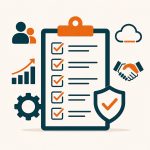
NonProfit Cybersecurity Checklist
Below is a practical checklist you can use to evaluate your organization’s cybersecurity posture.
If you’d like a more complete, shareable version, you can download our NonProfit Cyber Safety Checklist here.
Account Security
- MFA enabled everywhere
- Strong password policies
- Admin accounts secured and monitored
Device Security
- Full‑disk encryption
- EDR on all endpoints
- Managed patching
- Secure configuration of laptops and mobile devices
Remote Work Protections
- VPN or zero‑trust access
- Restrictions on unmanaged devices
- Safe home network guidelines for staff
Data Protection
- Off‑site, encrypted backups
- Regular backup restore testing
- Documented privacy and retention policies
Cloud & Email Security
- Permission reviews
- Phishing and link protection
- Suspicious login alerts enabled
Volunteer & BYOD Controls
- Unique logins for volunteers
- Access limited to role‑based needs
- Mobile device management (MDM) for personal devices
Compliance
- HIPAA evaluation if program‑relevant
- Donor privacy protections documented
- Annual cybersecurity assessment
Final Thoughts: Cybersecurity Is Mission Security
Protecting donor trust and safeguarding client information are essential to the long‑term stability of your NonProfit. Strong cybersecurity reduces disruptions, safeguards your funding relationships, and ensures your team can focus on the work that matters most.
If you ever want support evaluating your risk, improving your protections, or strengthening your cybersecurity strategy, I‑M Technology is here to help.