



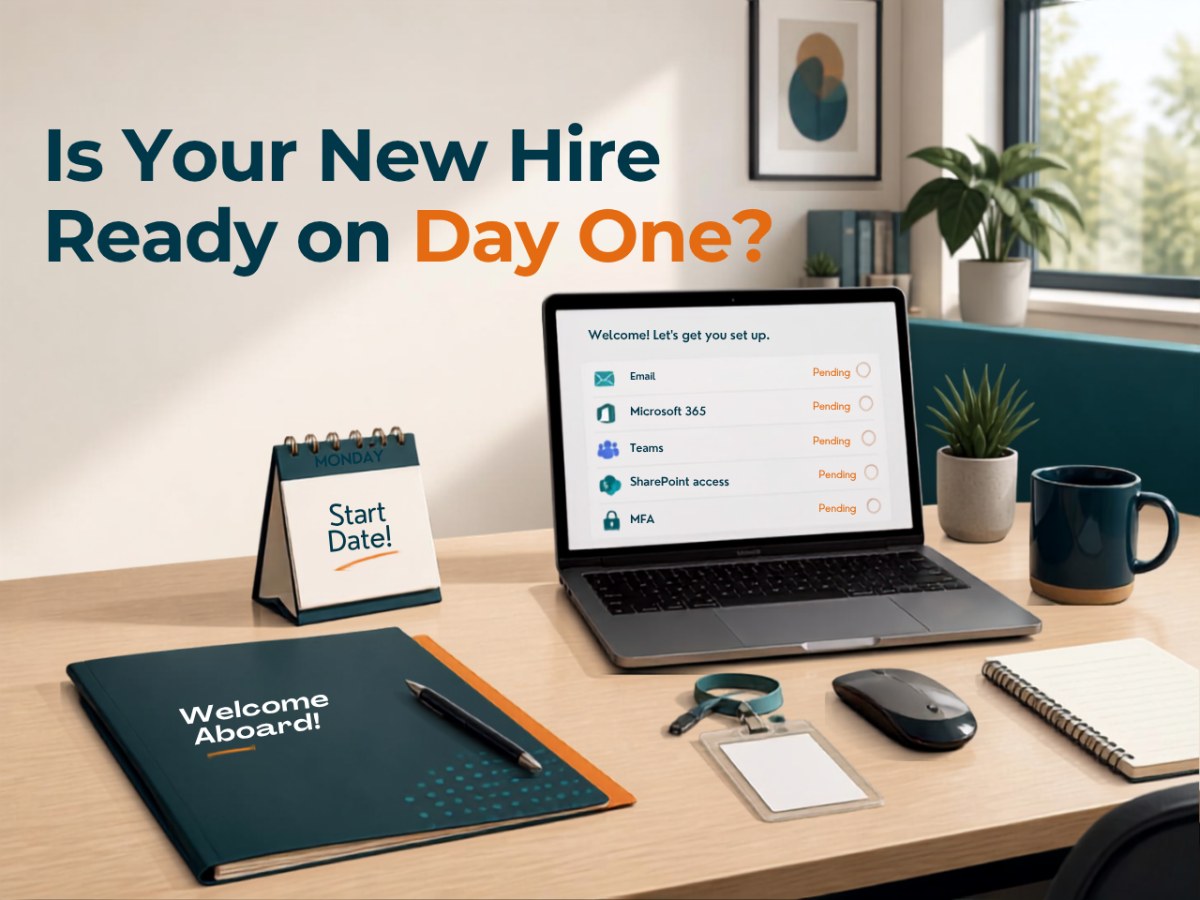
Monday morning arrives, your new employee is excited to get started, their manager has a full week planned, HR has completed the paperwork, and everyone is ready to welcome them to the organization.
There’s just one problem: the technology isn’t ready.
Maybe the laptop arrived but hasn’t been configured yet. Maybe the computer works, but the employee can’t get into email. Email works, but they don’t have access to the SharePoint files their department uses every day. They’re missing a Microsoft 365 license, haven’t been added to the right Teams, and need access to another application that nobody remembered until they tried to open it.
By 10:30 Monday morning, the new employee has met half the organization because everyone is trying to help get them working.
HR calls Operations. Operations asks Finance about the laptop. Finance knows it was purchased but isn’t sure who was supposed to configure it. Someone asks the office manager about Microsoft 365, and eventually the employee who is “good with computers” gets pulled away from their actual job to figure out what’s missing.
For growing NonProfits, this can happen often enough that it starts to feel normal.
It shouldn’t.
When you have 20, 50, 100, or 150 employees, getting someone properly onboarded is no longer just a matter of handing them a laptop and creating an email address. There are devices, applications, Microsoft 365 licenses, Teams, SharePoint permissions, security requirements, Multi-Factor Authentication, printers, phones, remote access, and potentially several other systems that all need to be ready for that employee’s particular role.
When those pieces aren’t coordinated, the new employee loses time, but so does everyone who gets pulled away from their own work to help.
That’s why inefficient employee onboarding isn’t really an IT inconvenience.
It’s a staff-capacity problem.
A New Employee’s First Morning Shouldn’t Be a Technology Project
Think about everything your NonProfit has already invested before a new employee walks through the door.
Someone identified the need for the position, created the job description, advertised it, reviewed applicants, conducted interviews, selected a candidate, negotiated an offer, completed paperwork, scheduled orientation, and prepared the employee’s manager and coworkers for their arrival.
You hired this person because you need them doing something useful.
Maybe they’re a program manager, case worker, fundraiser, finance employee, administrator, or member of leadership. Whatever the role, there is work waiting for them.
Then their first morning is spent waiting for someone to figure out why they can’t access a shared folder.
The cost isn’t limited to the new employee sitting there.
Their manager stops what they’re doing to help. HR gets involved because they initiated the onboarding. Operations gets a phone call. Someone has to check on the computer. Another employee starts troubleshooting Microsoft 365 permissions.
A technology problem affecting one person can easily consume pieces of four or five employees’ day.
That’s what makes poor onboarding more expensive than it first appears. The new hire may be the person waiting, but the interruption spreads through the organization.
Why Does NonProfit Employee IT Setup Get So Complicated?
Usually because several people own individual pieces of the process, while nobody clearly owns the finished result.
HR knows when the employee is starting and has their personal information.
The manager understands what the employee will be doing.
Finance may approve purchases or software expenses.
Operations may manage equipment.
Someone else may administer Microsoft 365.
Another application may be controlled by an outside software vendor.
None of that is inherently wrong. Different departments naturally need to be involved.
The problem appears when nobody is responsible for connecting those pieces and asking the question that actually matters:
When this employee sits down at 9:00 Monday morning, do they have everything they need to work?
That means more than having a computer.
The computer needs to work. Their Microsoft 365 account needs to be ready. They need the correct applications and licenses. They need access to the right files, SharePoint locations, Teams, shared mailboxes, calendars, printers, and other systems appropriate to their role. Their security settings need to be configured correctly, and they need to know where to go when they need help.
When responsibility for that finished result is spread among several people who are all assuming someone else has handled the next step, that’s when Monday morning turns into a scavenger hunt.
Employee Onboarding Starts Before the Employee Does
If the technology setup begins when the employee arrives, the process is already behind.
A predictable onboarding process should begin when the organization knows the employee has accepted the position and has a confirmed start date.
That doesn’t mean everything has to happen weeks in advance. It means there needs to be a clear trigger that starts the process and gives whoever owns technology enough time to prepare.
For example:
“We have a new program coordinator starting August 24. Here’s their name, manager, location, role, start date, and the systems they’ll need to use.”
From there, much of the process should already be understood.
What type of computer does someone in this role receive? Which Microsoft 365 license is appropriate? Which applications do they need? Which Teams or SharePoint locations should they be able to access? Do they need a shared mailbox? Are there specific security requirements? Will they work remotely or in the field? Do they need a phone, printer, scanner, or other equipment?
If the employee handles sensitive information, are there additional access restrictions or security requirements that apply?
These are reasonable questions.
What isn’t reasonable is rediscovering the answers from scratch every time someone starts.
“What Did We Give the Last Person?”
This is one of those questions that tells you quite a bit about the onboarding process.
A new program coordinator is starting, so someone asks what computer the previous program coordinator had.
Nobody remembers.
Someone searches through old emails. Someone else checks a spreadsheet that may or may not be current. Eventually, somebody walks into a storage room and finds a laptop sitting on a shelf.
It turns on, which is encouraging.
Then they discover it belonged to an employee who left eight months ago, nobody is quite sure how old it is, and the previous employee’s information is still on it.
Now instead of preparing a computer for the new employee, someone has to figure out the history of the computer first.
This is where device management and employee onboarding become the same conversation.
A growing NonProfit should have a reasonable understanding of what equipment it owns, who has it, how old it is, whether it’s still appropriate for the job, and what equipment is available for incoming employees.
Otherwise, every new hire creates another purchasing decision or equipment scavenger hunt, and both consume staff time that could have been avoided with better planning.
Access Is Usually More Complicated Than Creating an Email Address
Creating the account is often the easy part.
The more important question is what that account should be allowed to access.
Suppose someone joins your development department. They need email, of course, but they may also need specific SharePoint locations, Teams, a donor-management application, shared mailboxes, calendars, templates, and other resources.
They probably don’t need unrestricted access to Finance, HR, or sensitive program information.
Now hire someone in Finance.
Their access requirements will be completely different.
This is why growing NonProfits should start thinking about onboarding around roles rather than individuals.
If five employees perform essentially the same type of work, their basic technology setup should probably look similar. There may be exceptions based on responsibility or seniority, but there should still be a predictable baseline.
Instead of asking, “What did Jennifer have?” every time you hire another person, you can start with, “This is what someone in this role normally needs.”
That makes onboarding faster, but it also makes the environment easier to understand and manage later.
Microsoft 365 Can Make Onboarding Easier—If It Has Some Structure
For many NonProfits, Microsoft 365 sits at the center of employee onboarding because email, Teams, OneDrive, SharePoint, calendars, identity, security, and applications may all connect to the same environment.
When that environment is well organized, onboarding can become fairly predictable.
When it has grown organically for years without much planning, the opposite happens.
Someone creates the new employee’s account, and then the manager realizes the employee can’t access the department’s files. Someone manually shares a folder. Then they discover the employee isn’t in the right Team. After that, they need another license. Then someone remembers the employee also needs access to an application that uses a completely separate account.
None of those problems individually is particularly difficult.
The problem is the accumulation.
You’re solving six small problems one after another because nobody had a complete picture of what that role needed before the employee arrived.
That usually isn’t a Microsoft 365 problem.
It’s a process problem that happens to be showing up inside Microsoft 365.
Managers Should Describe the Job, Not Choose the Microsoft License
This is an area where organizations can accidentally make onboarding more complicated than necessary.
A manager hires someone, and then technology questions start arriving:
Does this person need Microsoft 365 Business Basic or Business Premium?
Which security license do they need?
Which SharePoint groups should they be in?
What Microsoft Teams permissions should they have?
Does this application require another license?
Many managers don’t know the answers to those questions, and there’s no reason they should.
The manager should understand what the employee does.
The technology process should translate that into what the employee needs.
Instead of asking a program director to select a Microsoft license, ask whether the employee has an organization-owned computer, whether they work remotely, which program they belong to, what information they need to access, and which business applications are part of their job.
Those are operational questions the manager can answer confidently.
Someone responsible for technology can then translate those answers into devices, licenses, permissions, security settings, and applications.
Your managers have enough responsibilities already. Understanding Microsoft licensing shouldn’t become another one every time they hire someone.
Remote and Field Employees Leave Less Room for “We’ll Figure It Out”
Health and social-services NonProfits often have employees spread across different offices, facilities, homes, or field locations, which makes a predictable onboarding process even more important.
If someone working down the hallway can’t get into email, an employee may be able to walk over and help.
If that employee is 45 miles away, the same problem becomes considerably more disruptive.
Their equipment needs to arrive ready to use. Their accounts need to work. Multi-Factor Authentication needs to be configured. Their security settings need to be appropriate. They need access to the right information, and they need to know exactly who to contact if something goes wrong.
A remote employee shouldn’t receive a laptop in a box and then spend Monday morning on the phone trying to turn it into a working computer.
The more distributed your workforce becomes, the more expensive “we’ll figure it out when they start” becomes as an onboarding strategy.
Onboarding Is Also an Employee’s Introduction to Cybersecurity
The first few days of employment are when people learn what normal looks like inside your organization.
That makes onboarding one of the best opportunities to establish good technology and cybersecurity habits.
If Multi-Factor Authentication is required from the first login, that becomes normal.
If employees are shown where organizational files belong instead of developing their own storage system, that becomes normal.
If they learn how to request IT support instead of asking whoever happens to be “good with computers,” that becomes normal.
If you explain which applications and AI tools are approved, how organizational information should be handled, and what to do when something looks suspicious, those expectations become part of the job from the beginning.
Compare that with trying to change the same habits two years later.
Now you’re asking employees to stop doing something that has worked for them for years, even if it was never the organization’s intended process.
Employee onboarding isn’t simply about handing someone a computer.
It’s an opportunity to teach them how your NonProfit uses technology and how you expect organizational information to be handled.
The Accidental IT Person Usually Pays the Price for Bad Onboarding
When onboarding isn’t standardized, the work doesn’t disappear.
Somebody absorbs it.
Often, that person works in Operations, Finance, Administration, or office management and happens to know enough about technology to keep things moving.
Every new employee creates another series of tasks: find or order a computer, figure out the Microsoft 365 account, install software, find the right licenses, configure a printer, contact vendors, answer questions, and troubleshoot whatever didn’t work as expected.
For one new employee, that may only consume a few hours.
But if your NonProfit hires ten, fifteen, or twenty people during the year, those hours start becoming a meaningful part of someone’s job.
Except it may not actually be their job.
Technology became part of their responsibilities because they were capable, available, and willing to help.
That works until it doesn’t.
As the organization grows, the amount of technology work grows with it, and eventually a capable employee can find themselves spending a surprising amount of their week supporting technology instead of doing the work the organization originally hired them to do.
Good Onboarding Makes Offboarding Easier Too
There’s another reason to document what an employee receives when they start.
Eventually, some of those employees will leave.
When that happens, the organization needs to know what equipment they have, which systems they use, which accounts need to be disabled, what should happen to their email, which applications they can access, and where their organizational information lives.
If that information was documented when the employee joined, offboarding becomes much more predictable.
If it wasn’t, somebody has to reconstruct the employee’s technology environment after the fact.
Did Jennifer have access to this application?
We think so.
Did she have an organization-owned tablet?
Maybe.
Who created her account in that other system?
Nobody remembers.
Does someone need access to her email?
Where did she save the department’s documents?
These aren’t questions you want to begin asking after the employee has already walked out the door.
A good onboarding process creates the information you’ll eventually need for a good offboarding process.
What Should Good NonProfit Employee Onboarding Feel Like?
It shouldn’t feel particularly exciting.
The employee arrives, their computer is ready, they sign in, their email works, and they can access the applications and information appropriate to their role.
They understand Multi-Factor Authentication, know where organizational files belong, and know who to contact when they need IT support.
Meanwhile, their manager isn’t troubleshooting a laptop, HR isn’t trying to determine who creates accounts, and the office manager hasn’t disappeared for two hours to install applications.
Everybody is doing what they’re supposed to be doing.
That’s successful onboarding.
It isn’t flashy, but it is predictable, repeatable, and much less disruptive to the organization.
You Don’t Need a 75-Step Onboarding Checklist
A good process doesn’t have to begin with a massive project.
Start by watching what happens with the next employee you hire.
From the moment they accept the position until they are fully operational, pay attention to every handoff.
Who gets notified?
How soon do they get notified?
Who determines what equipment is needed?
Who orders it?
Who creates the accounts?
Who decides which information the employee can access?
Who sets up the computer?
Who handles Microsoft 365?
Who communicates with outside software vendors?
Who confirms everything is actually ready before the employee arrives?
Most importantly, notice where the process slows down and where the same questions get asked every time.
If someone repeatedly says, “I don’t know, ask Sarah,” that’s useful information.
Those are the areas to standardize first.
You don’t need every employee to have exactly the same setup. A program employee, Finance employee, manager, and Executive Director will naturally have different requirements.
But the normal requirements for common roles shouldn’t have to be rediscovered every Monday morning.
There will always be exceptions.
The goal is to make sure everything isn’t an exception.
Your New Employee Has Better Things to Do Than Wait for IT
A new employee’s first day should be about your NonProfit: the mission, the people you serve, their coworkers, their responsibilities, and the work they’re there to do.
It shouldn’t become an eight-hour technology troubleshooting session, and your existing staff shouldn’t lose half their day helping get one person operational.
When that happens regularly, the answer isn’t to teach HR, Operations, Finance, or your office manager how to become better IT people.
The process needs clearer ownership.
At I-M Technology, employee onboarding is part of the day-to-day technology responsibility we handle for the NonProfits we support. Through our Managed IT Services, that can include device management, Microsoft 365, employee support, onboarding and offboarding, cybersecurity, technology planning, and the ongoing work required to keep employees productive.
The objective is pretty simple: when you tell us someone is starting, there should be a predictable process for getting that person what they need, rather than a chain of emails asking who is supposed to do what.
If every new hire currently creates that chain of emails, that’s a good place to start the conversation.
Schedule a Discovery Call with I-M Technology and tell us what happens today when you hire someone.
We can help make the next Monday morning a lot less interesting.